

Email Phishing Scams in 2026: Fake PayPal, Norton, McAfee, Xfinity, OneDrive & Google Drive Emails Explained
Last Verified & Updated: June 10, 2026
Computer Repair Specialist at GlobalTechPort helping customers recover hacked email accounts, phishing victims, and compromised Microsoft 365, Gmail, and Xfinity accounts.
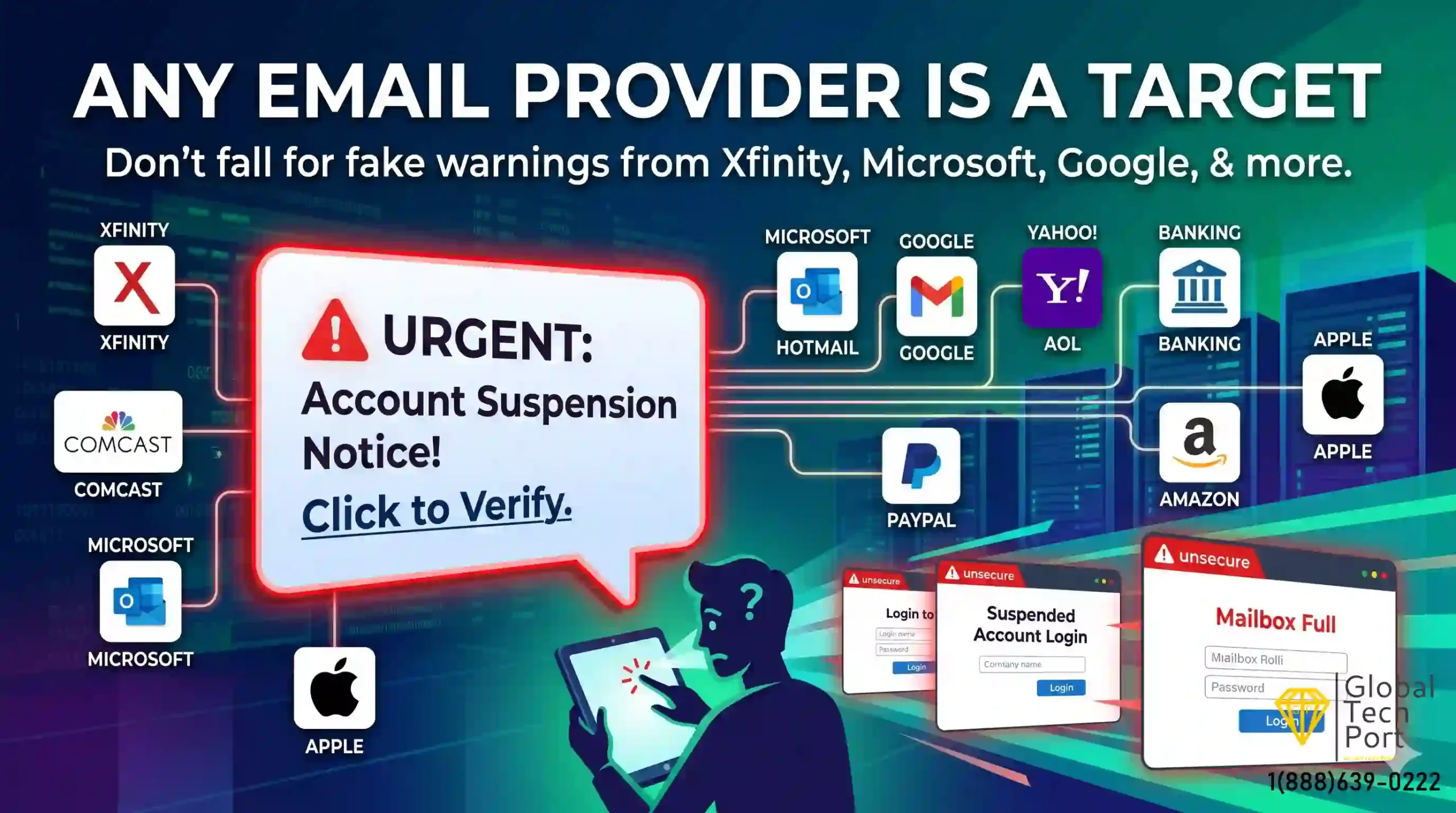
Phishing emails frequently impersonate trusted companies such as Xfinity, Microsoft, Google, Apple, Amazon, PayPal, and banks to steal passwords and account information.
Every day, thousands of people receive emails that appear to come from trusted companies such as PayPal, Norton, McAfee, Xfinity, Microsoft, Google, Amazon, and Apple.
These emails often look legitimate. They contain company logos, professional formatting, and urgent messages designed to make you act quickly.
Unfortunately, many of these messages are phishing scams.
Recently, one of our customers received an email claiming to be from Xfinity. The message stated that the account required verification and included a link to update account information.
The customer clicked the link and entered their email address and password on what appeared to be a legitimate login page.
Within a short time, attackers gained access to the email account and began sending fraudulent messages to contacts in the address book requesting money and financial assistance. The attacker also attempted to take control of the mailbox by modifying account settings.
The customer was not infected by a virus and did not download any software. Instead, the attacker simply stole the login credentials using a fake website.
Unfortunately, this type of attack is becoming increasingly common and affects users of nearly every major email provider and online service.
What Is a Phishing Email?
A phishing email is a fraudulent message designed to trick recipients into revealing sensitive information such as:
- Email usernames and passwords
- Banking information
- Credit card details
- Two-factor authentication codes
- Personal information
Cybercriminals often impersonate trusted companies to create a false sense of urgency and encourage victims to click links or open attachments.
In many cases, the email itself is not the danger. The real threat appears when the recipient clicks a link and enters credentials on a fake website that closely resembles the legitimate company’s login page.
Why Phishing Emails Work
Most phishing attacks rely on human psychology rather than technical hacking.
Scammers commonly use:
- Fear
- Urgency
- Financial threats
- Account suspension warnings
- Security alerts
- Fake invoices and subscription renewals
The goal is to convince the recipient to act before thinking.
Messages such as:
- “Your account will be suspended today.”
- “Your password expires within 24 hours.”
- “Your payment could not be processed.”
- “Your subscription has renewed for $499.”
- “Unusual login activity detected.”
- “Your mailbox storage is full.”
are specifically designed to create panic and encourage immediate action.
The more urgent the message feels, the more likely someone is to click without carefully inspecting the email.
12 Common Phishing Emails We See in 2026
Cybercriminals frequently impersonate trusted companies to steal passwords, financial information, and personal data. Below are some of the most common phishing emails reported by our customers.
1. Fake PayPal Payment Scam ▼
These emails claim a payment was sent from your PayPal account, often for hundreds of dollars. The message encourages you to click a link or call a support number to dispute the charge.
Common Subject Lines:
- Your PayPal Payment Has Been Processed
- Unauthorized Transaction Detected
- Invoice Payment Confirmation
The goal is to create panic and convince you to enter your PayPal credentials on a fake website.
2. Fake Norton Subscription Renewal Scam ▼
Victims receive emails claiming their Norton antivirus subscription has automatically renewed for a large amount such as $299, $399, or $499.
The email usually contains a phone number to call or a cancellation link. Calling often connects victims to scammers posing as support representatives.
3. Fake McAfee Renewal Notice ▼
Similar to Norton scams, these emails claim your McAfee protection is expiring or has renewed automatically.
Scammers use urgency to convince recipients to click malicious links or provide remote access to their computer.
4. Fake Xfinity Account Verification Email ▼
One of the most common scams affecting residential users. The email claims your Xfinity account needs verification, updating, or reactivation.
Victims who enter their credentials on the fake website often lose access to their email account, allowing attackers to send scam emails to contacts.
5. Fake Microsoft 365 or Outlook Login Alert ▼
Business users frequently receive emails claiming:
- Your mailbox is full
- Your password expires today
- Unusual login activity detected
- Email delivery has been suspended
The link leads to a fake Microsoft login page designed to steal credentials.
6. Fake OneDrive Storage Full Warning ▼
Scammers send emails claiming your OneDrive storage is full and files may be deleted unless you verify your account.
These emails commonly redirect victims to counterfeit Microsoft login pages.
7. Fake Google Drive Shared Document Scam ▼
You receive an email claiming someone shared a document, invoice, or contract through Google Drive.
The attachment or link redirects users to a fake Google sign-in page designed to capture usernames and passwords.
8. Fake Amazon Order Confirmation ▼
The email claims an expensive order was placed using your Amazon account.
Victims panic and click links or call fake support numbers to cancel the purchase.
9. Fake Apple ID Security Alert ▼
These emails claim your Apple ID has been locked, compromised, or accessed from an unfamiliar device.
Users are urged to verify their account immediately through a fraudulent login page.
10. Fake DocuSign and E-Signature Requests ▼
Business users frequently receive fake document signing requests pretending to come from DocuSign or other e-signature providers.
Clicking the document often redirects users to a phishing page requesting Microsoft 365 or Google credentials.
11. Fake Banking Security Alert ▼
Banking phishing emails are among the most dangerous scams because they create immediate fear about unauthorized transactions or account access.
These emails often claim:
- Suspicious activity was detected on your account
- Your debit or credit card has been locked
- An unauthorized transaction was attempted
- Your online banking account requires verification
- Your account will be suspended for security reasons
The email typically includes a button labeled Verify Account, Review Transaction, or Secure Your Account.
Clicking the link may lead to a fake banking website designed to steal usernames, passwords, account numbers, and security codes.
If you receive a banking security alert, do not click links in the email. Instead, open your browser and visit your bank’s website directly or call the phone number listed on the back of your card.
12. Fake Geek Squad Renewal Scam ▼
The Geek Squad renewal scam is one of the most common phishing emails reported by home computer users.
Victims receive an email claiming their Geek Squad protection plan or technical support subscription has renewed automatically for a large amount, often between $299 and $999.
Common subject lines include:
- Your Geek Squad Subscription Has Been Renewed
- Invoice Payment Confirmation
- Automatic Renewal Successful
- Thank You for Your Purchase
The email usually contains a phone number and instructs recipients to call immediately if they wish to cancel the charge.
When victims call, scammers often request remote access to the computer, banking information, or credit card details under the pretense of processing a refund.
Legitimate companies do not require remote access to issue a refund. If you receive a suspicious renewal email, contact the company directly using contact information from its official website.
Warning Signs an Email May Be a Scam
- Urgent threats or deadlines
- Unexpected invoices or subscription renewals
- Poor grammar or unusual wording
- Requests to verify passwords
- Links that do not match the company’s website
- Unexpected attachments
- Messages asking for gift cards, wire transfers, or money
- Emails claiming your account will be suspended immediately
What Happens If You Click the Link?
If you click a phishing link and enter your credentials, attackers may:
- Access your email account
- Change passwords and recovery options
- Create hidden email forwarding rules
- Send scam emails to your contacts
- Steal sensitive information stored in your mailbox
- Attempt to access banking, shopping, and social media accounts using password reset requests
This is why it is critical to act immediately if you believe your credentials have been compromised.
I Clicked the Link. What Should I Do Now?
If you clicked a phishing link, don’t panic. Many phishing victims can secure their accounts successfully if they act quickly.
The most important question is:
Simply opening a phishing email usually does not compromise your account. The greater risk occurs when credentials, payment information, or security codes are entered into a fake website.
If You Entered Your Email Address and Password
Take the following steps immediately:
- Change your password right away.
- Enable Two-Factor Authentication (2FA).
- Sign out of all active sessions and devices.
- Review account recovery options such as recovery email addresses and phone numbers.
- Check for unauthorized forwarding rules that may secretly send copies of your emails to attackers.
- Review your Sent Items folder for messages you did not send.
- Check Deleted Items and Trash folders for suspicious activity.
- Notify contacts if scam emails may have been sent from your account.
How to Check for Email Forwarding Rules
One of the first things attackers often do after gaining access is create hidden forwarding rules.
These rules automatically send copies of incoming emails to another email address controlled by the attacker.
Check:
- Outlook Rules
- Microsoft 365 Mail Flow Rules
- Gmail Filters and Forwarding
- Xfinity Mail Settings
- Yahoo Mail Filters
- AOL Mail Settings
Remove any forwarding rule you do not recognize.
What If the Attacker Changed My Password?
If you can no longer access your account:
- Contact the email provider immediately.
- Start the account recovery process.
- Verify recovery phone numbers and email addresses.
- Request logout from all active sessions if available.
- Monitor other online accounts that use the same password.
The faster you begin recovery, the better your chances of regaining control before additional damage occurs.
Check Other Accounts That Use the Same Password
Many attackers attempt credential stuffing after compromising an email account.
This means they try the same password on:
- Online banking websites
- PayPal accounts
- Amazon accounts
- Facebook and Instagram
- Microsoft accounts
- Google accounts
- Cloud storage services
If you reused the same password elsewhere, change those passwords immediately.
If an attacker gains access to your email account, they can often reset passwords for many other online accounts. Your email account is usually the master key to your digital life, which is why securing it quickly is critical.
How to Protect Yourself from Future Phishing Attacks
- Enable Two-Factor Authentication on all important accounts.
- Use unique passwords for every website.
- Never click login links directly from emails.
- Visit company websites manually by typing the address into your browser.
- Use a password manager to generate strong passwords.
- Keep Windows, browsers, and security software updated.
- Verify suspicious emails before taking action.
- Be cautious of urgent requests involving money or account verification.
Frequently Asked Questions
Can my email be hacked just by opening an email? ▼
What should I do if I entered my password on a fake website? ▼
Why do scammers target email accounts? ▼
How can I tell if an email is fake? ▼
Can scammers access my bank account if my email is hacked? ▼
Email Hacked? We Can Help Secure Your Account
If you believe your email account has been hacked or compromised through a phishing attack, GlobalTechPort can help review account security settings,
remove unauthorized forwarding rules, secure your devices, and assist with account recovery.
The sooner action is taken, the greater the chance of preventing additional account misuse and protecting sensitive information.