

How to Fix the “Non-HP Chip Detected” or “Non-HP Circuitry Detected” Error (2026 Guide)
Seeing the message “Non-HP chip detected” or “Non-HP circuitry detected” on your HP printer? This frustrating error often appears after a firmware update or when using third-party cartridges. In this guide, we’ll show you how to bypass the HP chip block and get your printer working again.
Last Updated: July 21, 2026
Quick Navigation:
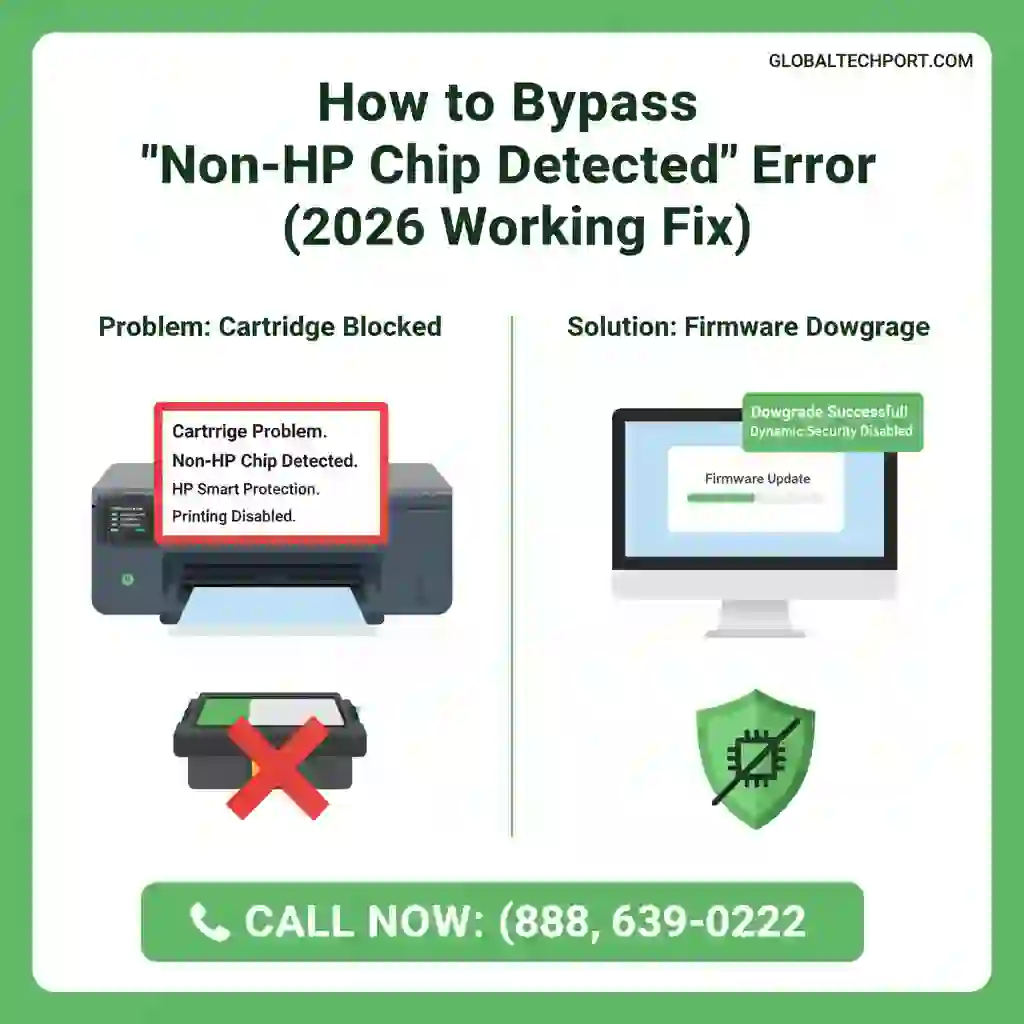
Common Symptoms of HP Dynamic Security
In 2026, HP’s “Dynamic Security” has become more aggressive. You might see one of these specific messages:
- “Non-HP Circuitry Detected.”
- “Non-HP Chip Detected: The indicated cartridges have been blocked.”
- “Cartridges blocked for containing a non-HP chip.”
- “Supply Problem: One or more cartridges appear to be damaged.”
- “Cartridge locked: This cartridge can only be used in the printer that first installed it.”
These messages usually appear after an HP firmware update enables stricter
Dynamic Security protections or when the printer cannot verify
the electronic chip on an installed cartridge. Depending on your printer model,
the exact wording may vary, but the troubleshooting methods in this guide apply
to most affected HP printers.
How to Bypass the Block (Step-by-Step)
Method 1: Disable “Cartridge Policy” via Web Interface
Many HP OfficeJet and OfficeJet Pro printers allow cartridge restrictions
to be disabled directly from the Embedded Web Server (EWS).
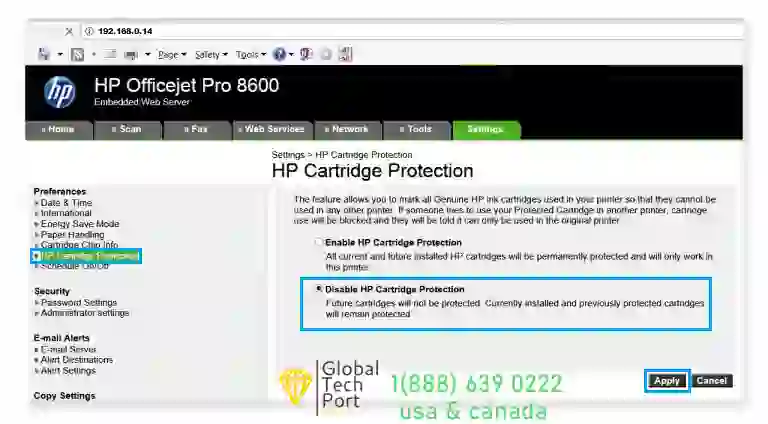
Disable HP Cartridge Protection from the printer web interface to restore compatibility with third-party cartridges.
If the printer screen is locked, use your computer to access the Embedded Web Server (EWS):
- Find your printer’s IP Address (Settings > Network Summary).
- Type that IP into your web browser (e.g., 192.168.0.14).
- Go to the Settings tab > Security > Hardware Settings.
- Uncheck “Restrictive Mode” or “Cartridge Policy.”
- Click Apply.
Method 2: Power Reset the Printer & Clean the “Non-HP Chip”
Sometimes the chip is not actually blocked — it is simply unreadable due to
static electricity, dirty contacts, or a temporary communication issue between
the cartridge and printer.
Turn off the printer and unplug it from power for 60 seconds. Remove the
cartridges, then restart the printer and reinstall them after the reboot.
A full power reset can sometimes clear temporary cartridge detection errors.
Next, use a lint-free cloth with a small amount of rubbing alcohol to gently
clean the copper chip contacts on the cartridge. Dirty or statically charged
contacts can trigger the “Non-HP Chip Detected” or “Non-HP circuitry” error.
Method 3: Firmware Downgrade (Advanced Fix)
For HP OfficeJet Pro 9010e, 9015e, and 9125e models, the menu options to disable security are often hidden.
A firmware rollback is the only permanent solution.
⚠️ Expert Note: Firmware downgrades require specific “bin” files for your model. Attempting this with the wrong file will “brick” the machine. For a guaranteed fix, call our remote support desk at 1(888) 639-0222.
HP Printers Commonly Affected by “Non-HP Chip Detected” (2026)
The Non-HP Chip Detected and Non-HP Circuitry Detected errors have been reported on many HP printers after firmware updates that enable Dynamic Security. The models below are among the most commonly affected.
| HP Printer Series | Common Cartridge |
|---|---|
| OfficeJet Pro 9010, 9015, 9015e, 9020, 9025, 9125e | HP 962 / 962XL |
| OfficeJet Pro 8020, 8025, 8035 | HP 910 / 910XL |
| OfficeJet Pro 8710, 8720, 8730, 8740 | HP 952 / 952XL |
| OfficeJet Pro 7740 | HP 952 / 952XL |
| DeskJet 2700, 2720, 2732, 2755 | HP 67 / 67XL |
| DeskJet Plus 4100, 4155e | HP 67 / 67XL |
| ENVY 6000, 6055, 6455 | HP 67 / 67XL |
| ENVY Inspire 7200, 7900 | HP 64 / 64XL or HP 67 / 67XL |
| LaserJet Pro M254, M281, M283 | HP 202A / 202X |
| LaserJet Pro M404, M428, M479 | HP 58A / 58X and HP 414A / 414X |
| PageWide Pro 477, 552, 577 | HP 972 / 972X |
| Smart Tank 6001, 7001, 7301, 7602 | HP Original Ink Bottles |
Additional Help for Non-HP Chip Detected Error
If your HP printer still shows the “Non-HP Chip Detected” message even after trying firmware downgrade or cartridge replacement,
the issue may be related to newer firmware security restrictions introduced in 2025–2026.
In such cases, professional remote troubleshooting can help safely restore compatibility and prevent permanent cartridge blocking.
Always ensure firmware updates are reviewed carefully before installing, as some updates permanently disable third-party cartridge support.
FAQ: Troubleshooting HP Non-HP Chip Detected Error
Why does HP block third-party cartridges?
the use of non-genuine or refilled cartridges. After certain firmware updates,
some HP printers may block third-party cartridges and display errors such as
“Non-HP Chip Detected” or “Cartridges blocked for containing a non-HP chip.”
Can I still use the printer if I click ‘OK’?
will physically refuse to move the print head until a recognized chip is
installed.
How do I stop HP from updating my firmware?
Manage Updates and set “Allow Updates” to No. Do this immediately after
a firmware rollback to prevent HP from reapplying the restriction automatically.
Will a firmware downgrade void my HP printer warranty?
HP may decline to support issues that occur while running an older firmware
version. Once you disable automatic updates, the rollback stays permanent
unless you manually update again.
Can I use refilled or third-party cartridges in my HP printer?
restrictions. On current 2025–2026 firmware, HP actively blocks non-genuine
cartridges. Rolling back the firmware and disabling automatic updates restores
compatibility with third-party and refilled cartridges.
Why did the error appear after a Windows or printer update?
the HP Smart app. Many users only notice the “Non-HP Chip Detected” error
after a routine update because the new firmware includes updated Dynamic
Security restrictions. This is why disabling automatic firmware updates is
essential after fixing the issue.
Does cleaning the cartridge chip fix the error?
a dirty or statically charged chip contact can trigger a false
“Non-HP Chip Detected” reading. Use a lint-free cloth with a small
amount of rubbing alcohol to clean the copper contacts on the cartridge
and the contacts inside the printer. If the error persists after cleaning,
a firmware issue is the likely cause.
Can a technician fix the Non-HP Chip Detected error remotely?
remotely as long as your printer is connected to your network and your
computer is accessible. Our technicians handle HP firmware downgrades
remotely for customers across the USA and Canada — without risking
bricking your printer with the wrong firmware file.
Why does my HP printer say “Non-HP Circuitry Detected”?
How do I bypass the Non-HP Chip Detected error?
Still seeing the error? We’ll fix your HP printer for you.
📍 Visit our Google Business Profile:
GlobalTechPort on Google Maps
🔑 Seeing a BitLocker Recovery Key screen instead?
If your Windows computer is asking for a BitLocker Recovery Key after a BIOS update or hardware change, follow our complete step-by-step recovery guide.